


|
Introduction
The Server Admin window accesses the PipeChain server's interface directly from any computer running the PipeChain standard client. Through the Server Admin window the same operations can be made as through the PipeChain's server application window.
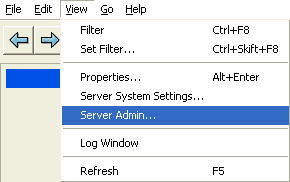
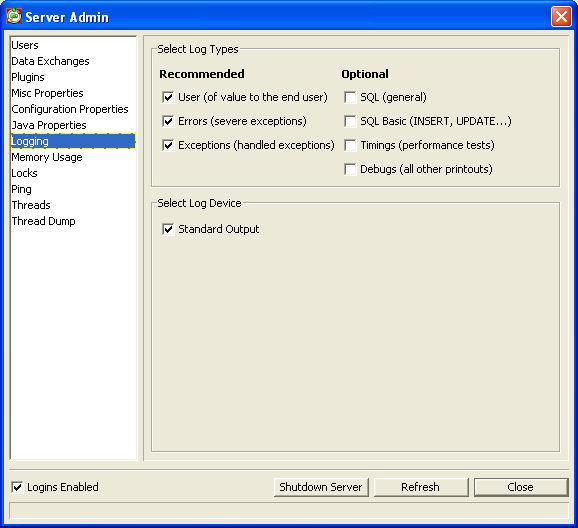
The Server Admin window contains following:
-
Users: current users, possibility to disconnect user by user or all at once
-
Data Exchanges: current Data Exchanges, possibility to disconnect one or all at once
-
Plugins: current Plugins used. Possibility to Reload new Plugins when setting up / updating a channel
-
Misc Properties
-
Configuration Properties
-
Java Properties
-
Logging: Log Types selected
-
Memory Usage: Heap memory allocation
-
Locks
-
Ping: Plain Ping / Database Ping
-
Threads: Threads and Daemons
-
Thread Dump
As it is possible to remotely administer the PipeChain server application through the standard client it is not necessary to have access to the PipeChain server window on the desktop of the physical server running the PipeChain server. Normally when running the server via service this window is hidden, but in some installations it is necessary to configure the property se.masystem.pipeline.server.window to false in the server.properties file to hide the server window.
It is required that the user is logged on as a Server Administrator to be allowed to launch the Server Admin window.